Improving YouTube Community Comment Interactions: A Mobile-First UX Exploration for Engagement, Clarity, and Safety
Self-initiated design exploration for YouTube Community comments
Year:
2025
Timeframe:
7 days (rapid exploration)
Tools:
Figma, FigJam, iOS/Android screenshots, Prototyping libraries
Category:
Mobile UX Design / Social Product Design

Overview
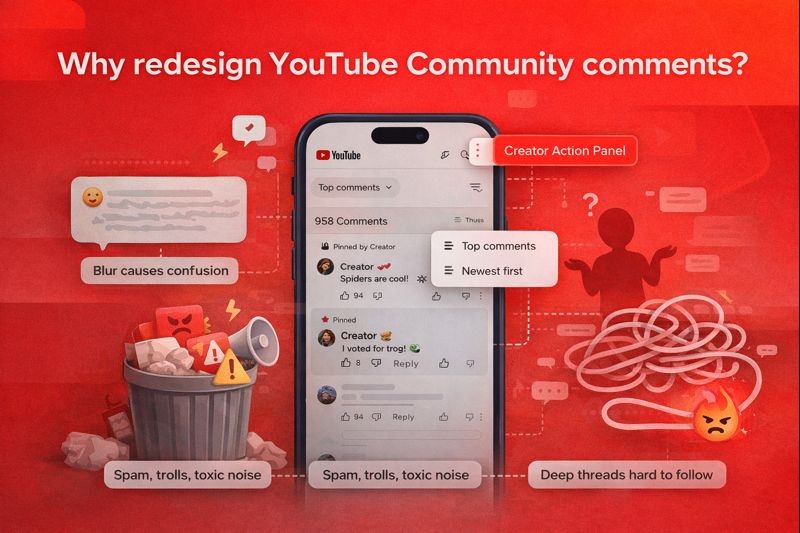
Why redesign YouTube Community comments?
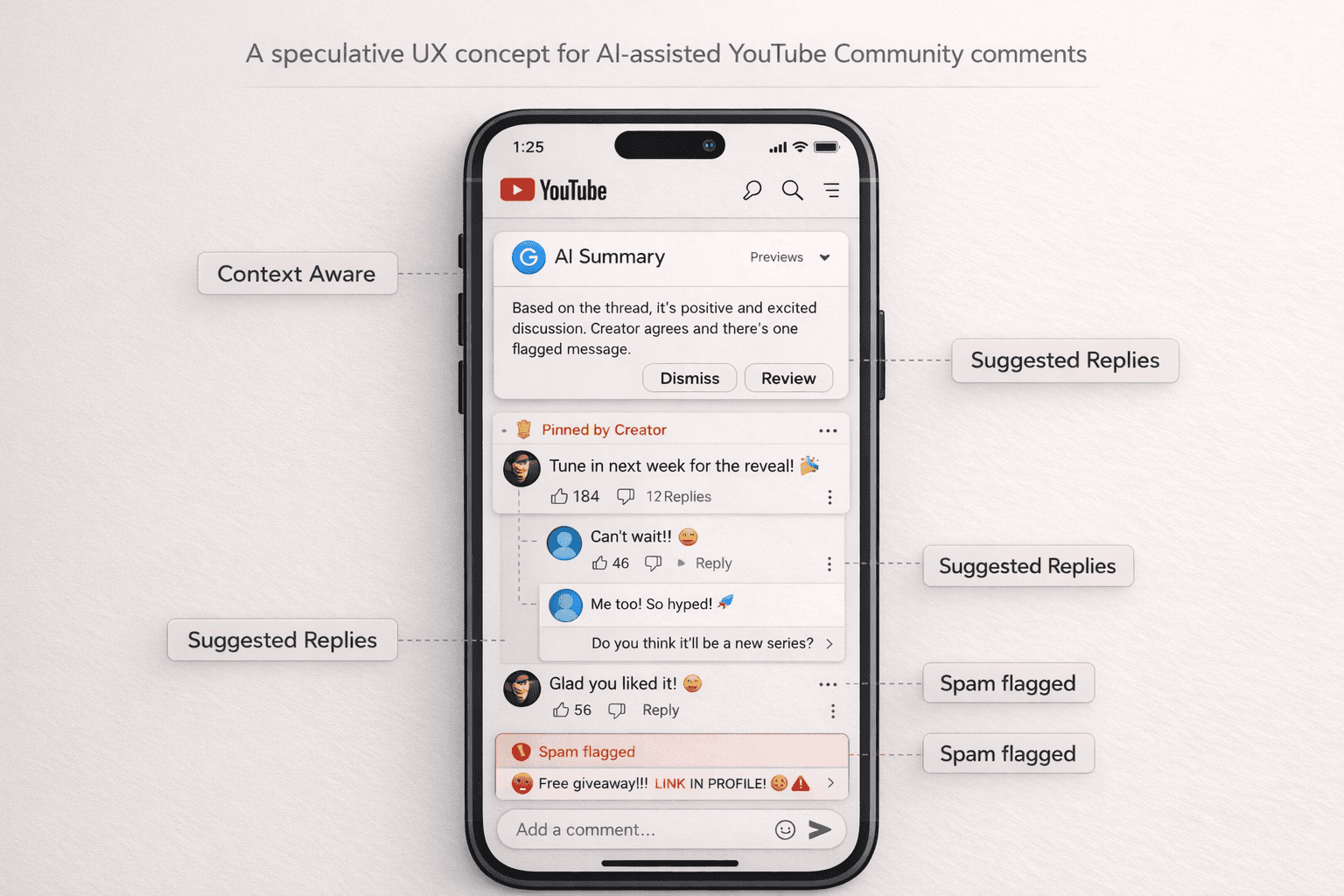
YouTube Community posts enable creators to engage directly with their audience; however, the interaction experience is often crowded, inconsistent, and difficult to follow on mobile. As part of a personal product exploration, I redesigned core components of the commenting experience, reply threading, creator tools, and lightweight moderation to enhance clarity, reduce friction, and foster stronger community engagement. This case study focuses on: - Mobile-first interaction patterns - Cleaner engagement flows - AI-assisted support for moderation - Accessible threading structures - Reducing cognitive load in high-volume comment spaces
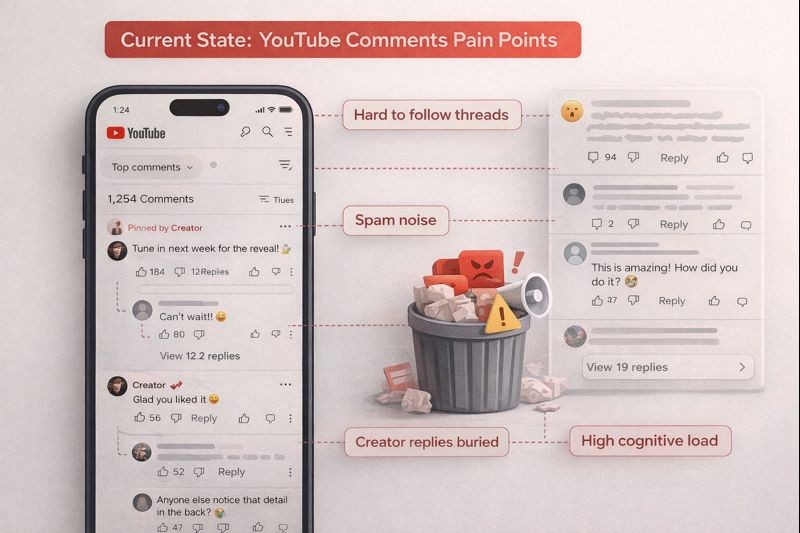
What breaks the experience in the current YouTube comment design?
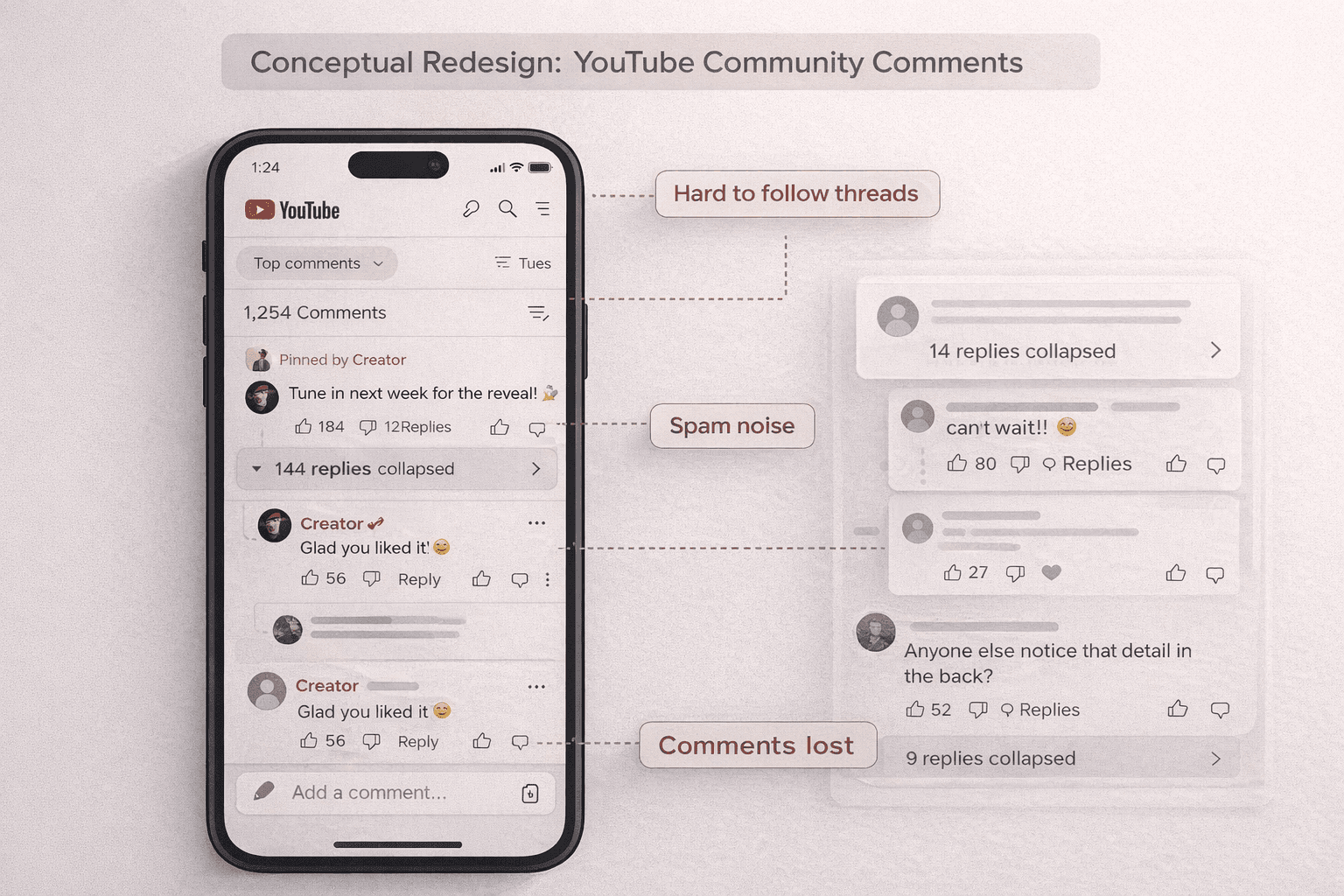
Comment threads on YouTube Community posts grow fast, but the interface doesn’t scale well. Users struggle to follow conversations, creators struggle to manage them, and the mobile interaction patterns force excessive scrolling. The result is lower engagement and less meaningful interaction. Key issues included: - Deep threads are becoming unreadable - Reply entry points are inconsistent across post types - Creator tools spread across multiple screens - No quick way to understand the discussion context • Hidden toxicity or spam response options • Hard to follow who is replying to whom This case study focuses on simplifying the structure and creating lightweight interactions that feel more fluid on mobile.
A cleaner, more scalable mobile comment system
The redesigned mobile comment experience focuses on clarity and lightweight interaction: 1. Collapsible smart threads Large conversations are automatically summarized using AI-generated context, allowing users to understand the discussion before expanding it. 2. Quick-Reply bar A persistent bar appears when selecting a comment, eliminating screen jumps and reducing typing friction. 3. Creator Action Panel Pin, heart, reply, remove, and manage options are presented in a single, unified bottom sheet. 4. Priority surfacing Top replies, creator responses, and verified comments rise automatically with clearer labels. 5. Improved visual hierarchy Spacing, indentation, and micro-interactions make scanning faster and reduce reading fatigue.